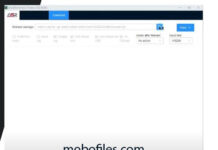
Z3X Samsung Tool is a powerful and specialized application designed for flashing and unlocking Samsung devices. It supports a wide range of advanced operations, making it an essential tool for professional technicians.
Key features include:
✅ Switch to EUB Mode
✅ Easy Partition Manager
✅ FRP Reset
✅ Boot Repair
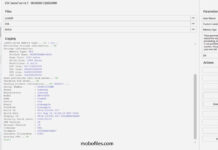
✅ Read Device Info
✅ Set KG State
✅ Change CSC
✅ Remove Warnings
✅ Read Codes
✅ Unlock Network & Regional Locks
✅ Unlock/Relock Bootloader
✅ Read/Write Backup
✅ Reset Battery Status
✅ Bootloader Unlock
✅ IMEI Repair
✅ Serial Number Repair
✅ Firmware Update
✅ Patch Cert
✅ Read/Write Cert
✅ And much more...
⬇️ Download Z3X Sams Tool for Windows

Z3X Sams Tool is a professional mobile unlocking solution developed by the Z3X Team.

On this page, you’ll find the official installer for Windows, bundled with the required Samsung USB Driver for smooth connectivity.
🛠️ How to Use Z3X Sams Tool

Follow the steps below to use the Z3X Sams Tool effectively:

🔹 Install Samsung USB Driver
Begin by installing the Samsung USB Driver on your computer to ensure proper device detection.

🔹 Install Z3X Sams Tool
Download and install the Z3X Sams Tool setup on your Windows PC.

🔹 Launch the Tool
Run the Z3X Sams Tool and follow the operations based on your need:

📦 Write Firmware

Select the appropriate Samsung model

Go to the Flash tab

Choose the firmware file

Connect the device in Download Mode

Click Flash

🔓 Reset FRP

Select the correct model

Navigate to the Unlock tab

Connect the device in Download Mode

Click Reset FRP

📶 Network Unlock

Select the suitable model

Open the Unlock tab

Connect the device in ADB Mode

Click Unlock

🛠️ Repair IMEI

Choose the proper model

Go to the Repair tab

Connect the device in ADB Mode

Enter the original IMEI

Click Repair
📌 Readme Once

🔄 Take a Backup:
Ensure you back up all important data before using the Z3X Samsung Tool. Flashing stock firmware may result in complete data loss.

⚠️ Requirement:
Z3X Sams Tool is a paid utility and not available for free or as a cracked version. A Z3X Box with Samsung Tool activation is required to run the software.