ADB GUI Tool Download Latest Version

0
1251
ADB GUI Tool Download Latest Version

In the fast-paced world of Android development, efficiency and security are critical for delivering high-quality applications on time. While the Android Debug Bridge (ADB) has long been the backbone for developers to manage devices via command-line, many users find text-based commands difficult and time-consuming, especially for repetitive tasks.

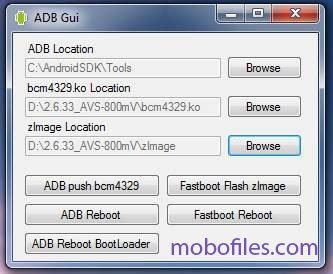
That’s where the ADB GUI Tool makes a difference. It is a powerful, feature-rich graphical interface built on top of ADB, designed to make Android device and app management faster, simpler, and more secure.
Key  Features of ADB GUI Tool

User-Friendly Interface: No need to memorize long ADB commands.

Device Management: Connect, disconnect, and control multiple Android devices.

App Management: Install, uninstall, or extract APKs with just a click.

File Transfer: Seamlessly move files between your PC and Android device.

Screen Mirroring & Control: Manage device screens directly from your computer.

Log & Debugging Support: Monitor logs and troubleshoot app issues easily.

One-Click Operations: Automates repetitive tasks for faster workflow.

Cross-Compatibility: Supports a wide range of Android versions and devices.
πŸ” Password: 123
Devices ModelπŸ“₯ LINK:1πŸ“₯ LINK:2
ADB GUI Tool One-DriveG-Drive
How to Use ADB GUI Tool

1. Download the latest version of ADB GUI Tool on your Windows PC.

2. Extract the downloaded package into a folder.

3. Install required drivers for your Android device (if not already installed).

4. Run the ADB GUI Tool and connect your Android device via USB cable.

5. Enable USB Debugging on your device from Developer Options.

6. The tool will automatically detect your device.

7. Use the available functions (App Management, File Transfer, Debugging, etc.) directly from the GUI.

8. Disconnect your device after completing the tasks.
Previous articleBMT Pro Android Tool | Latest Version Free Download
Next articleDragon FRP Tool – All-in-One FRP Bypass for Android